Blog › Digital Detox › Working professionals
Digital Detox for Working Professionals: Realistic Steps to Switch Off After Work
By Satyavadan Prakhya · November 3, 2026 · 7 min read
For working professionals, a digital detox can't mean ignoring your manager's messages or switching off email for a month. Your job runs on screens. The realistic goal is different: you decide when you're reachable, you protect time for deep work, and work stops following you into every evening and weekend.
Signs you need one
- You check email or work chat within minutes of waking up, and again in bed.
- You end busy days feeling you didn't do any “real” work.
- You reach for your phone in every pause – lifts, queues, traffic lights, family dinners.
- You feel anxious when you can't check messages.
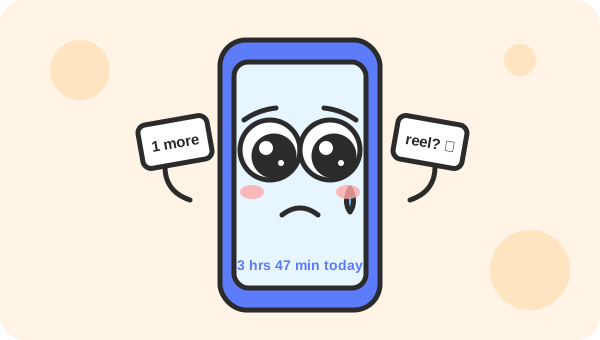
Step 1: measure a normal week
Look at your phone's screen time report and your work calendar. Note your daily screen time, pickups, the apps you open most, and how many hours last week were meetings. You can't fix what you haven't seen.
📱 Where the settings are: on iPhone, go to Settings → Screen Time (daily report, App Limits, Downtime) and Settings → Focus. On Android, go to Settings → Digital Wellbeing & parental controls (dashboard, app timers, Bedtime mode, Focus mode). Names differ slightly by phone brand and version.
Step 2: tame notifications
- Work chat: notify only for direct messages and mentions, not every channel message.
- Email: turn off new-mail alerts and banners on your phone. Email is not instant messaging.
- Mute or archive social, promotional and “forward” groups. Keep family and the urgent team channel.
- Remove the red badge counts for email and social apps – they're designed to make you open them.
Step 3: check email and chat in batches
- Choose 3–4 fixed times to process email, for example 9:30, 12:30, 3:30 and 5:30.
- Keep chat open, but put your status on “focusing” during deep-work blocks.
- Tell your team how to reach you for real emergencies – usually a phone call. Then people trust that you'll respond to what's truly urgent.
Step 4: protect focus blocks
- Block 1–2 hours of focus time in your calendar, ideally in the morning, at least three days a week.
- Work in focused sessions with a timer – 25 or 50 minutes – then take a real break away from the screen. The Study Timer works for work too.
- Close email and extra browser tabs during the block. Put your phone in a drawer or bag.
- Suggest one meeting-light day a week with your team, or shorter 25/50-minute meetings.
💡 Tip: Use a separate work profile or a separate browser for work, and remove work apps from your personal phone's home screen. Many phones support a work profile that you can pause after hours.
Step 5: draw a line after work
- Set working hours in your email and chat tools, so others can see when you're offline.
- Use “schedule send” for late-evening emails, so you don't pull others into after-hours work either.
- Create a shutdown ritual: write tomorrow's top three tasks, close everything, and say “done for today”. It helps your brain let go.
- If you work in a different time zone from your team or family, agree on a fixed overlap window instead of being on call all day.
Step 6: small screen-free zones
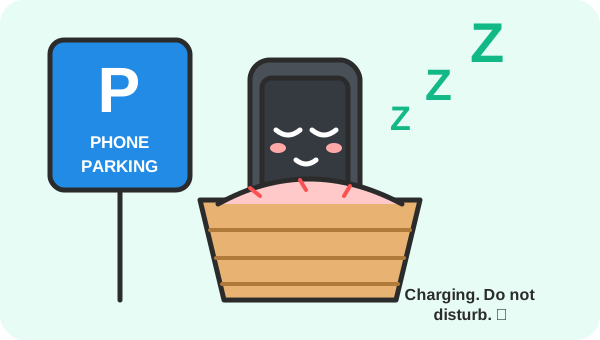
- First 30 minutes after waking: no email or news. Water, prayer or meditation, a walk, breakfast.
- Meals: phone away, especially with family.
- Commute: if you drive, use driving focus mode. If you travel by metro or bus, try an audiobook or podcast instead of scrolling.
- Bedroom: charge your phone outside it, and use an alarm clock.
Step 7: weekends and leave
- Pick one weekend half-day as fully offline from work – log out of work apps for those hours.
- On leave, set a clear out-of-office with a backup contact, and remove work apps from your phone if your role allows it.
- Plan something physical: sport, a family outing, gardening, cooking. Detox works best when the time is filled.
A realistic 2-week plan
| Days | Focus on |
|---|---|
| 1–2 | Measure your week; fix notification settings for email, chat and social apps |
| 3–5 | Email at 4 fixed times; one 90-minute focus block a day |
| 6–7 | Weekend: one offline half-day; phone charges outside the bedroom |
| 8–10 | Shutdown ritual each evening; set working hours in your tools |
| 11–13 | No screens for the first 30 minutes of the day; phone-free meals |
| 14 | Compare with day 1 – screen time, pickups, and how many focus blocks you actually kept |
Talking to your manager
Frame it around results, not rest: “I'm blocking 9–11 for focused work so I can finish the report faster. For anything urgent, please call me.” Most managers welcome better output, and you'll often find your team copies the idea.
This article shares general wellbeing tips. If stress, poor sleep or anxiety are affecting your health, please speak to a doctor or a qualified counsellor – many employers also offer free, confidential employee assistance programmes.
Helpful tools
- A timed phone lock box – for focus blocks and screen-free evenings.
- A simple alarm clock – keeps the phone – and work email – out of the bedroom.
- Deep Work by Cal Newport – the classic book on focused work in a distracted world.
As an Amazon Associate, Study Timer earns from qualifying purchases. This doesn't change the price you pay.
Block your first focus session – 25 minutes, no email.
Start the free focus timer →