Blog › Digital Detox › Homemakers
Digital Detox for Homemakers and Stay-at-Home Parents: Realistic Steps
By Satyavadan Prakhya · November 3, 2026 · 7 min read
For homemakers and stay-at-home parents, the phone is often the family noticeboard, the recipe book, the shopping list, the bank and – especially for families living abroad – the main link to parents and friends back home. So a digital detox shouldn't cut you off. It should give you back the hours that slip away in forwards, reels and endless scrolling, so the phone serves you instead of the other way round.
Why it's harder at home
- The day has no fixed breaks. Between chores, the phone fills every small gap – and small gaps add up to hours.
- Family groups never sleep. Good-morning messages, forwards and videos arrive all day.
- It can feel lonely, especially abroad or when children are at school, and scrolling feels like company.
- Children copy what they see. It's hard to limit their screen time if ours is always on.
Step 1: notice your pattern
For three days, look at your screen time report each night. Which apps took the most time, and at what time of day? Many people find one “danger zone”, such as the hour after the children leave for school or after lunch.
📱 Where the settings are: on iPhone, go to Settings → Screen Time (daily report, App Limits, Downtime) and Settings → Focus. On Android, go to Settings → Digital Wellbeing & parental controls (dashboard, app timers, Bedtime mode, Focus mode). Names differ slightly by phone brand and version.
Step 2: calm the groups and forwards
- Mute large family and community groups and read them once or twice a day – you'll still see everything, just not one message at a time.
- Archive groups you rarely need. They stay available, just out of the way.
- Turn off automatic media download in WhatsApp settings. It saves phone storage and stops videos pulling you in.
- Pause before forwarding. If a health tip, news story or “urgent warning” sounds shocking, check it on a trusted news site first. Many such forwards are false.
Step 3: give your day phone-free anchors
- Morning: no phone until after prayer or exercise and breakfast is ready.
- While cooking: write down or print the recipe, or use the phone's screen only for the recipe – then put it on the shelf, not in your hand.
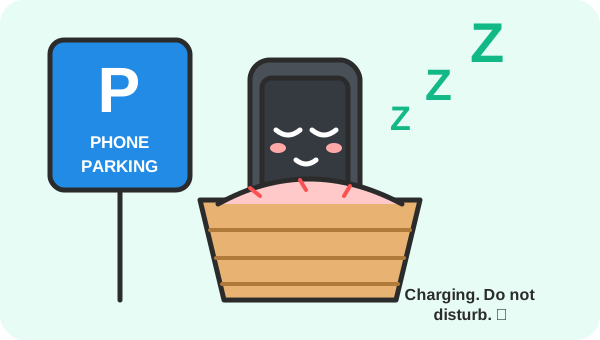
- Meal times: a family rule – everyone's phone, including adults', goes in a basket.
- Homework time: sit with your children with a book or a notebook instead of your phone. They focus better when you model it.
- Night: phone charges in the kitchen or living room, not by the bed.
💡 Tip: Use a timer for chores. Set 25 minutes on the focus timer, finish one task without the phone, then enjoy a 5-minute break with it. You'll be surprised how much gets done in one “tomato”.
Step 4: limit short videos and reels
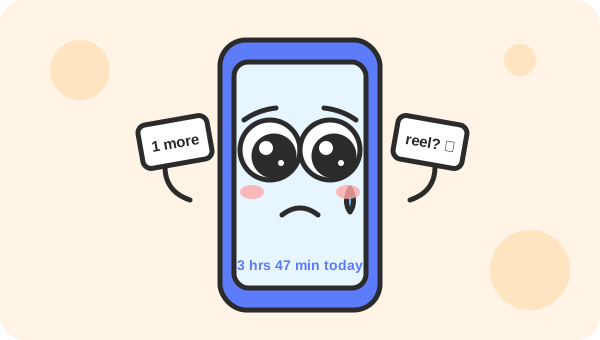
- Set a daily app limit on the app you use most for reels – start with 45–60 minutes, then lower it.
- Watch on the TV or laptop with the family instead of alone on the phone, and choose something specific rather than scrolling.
- Turn off autoplay on YouTube, so one recipe video doesn't become ten.
- Unfollow pages that make you compare your home, cooking or body with others.
Step 5: keep the phone's useful jobs
Detox isn't anti-phone. Keep using it on purpose for:
- Video calls with parents and friends – plan them at fixed times so they're something to look forward to.
- Shopping lists, bills and the family calendar – put birthdays and school events in a countdown with tasks and an email reminder.
- Learning – a course, a language or a skill, in a planned 30-minute slot.
Step 6: replace the scroll with real connection
- Walk with a neighbour or friend a few times a week.
- Join a local group: temple or community association, yoga class, library, volunteering or a hobby class.
- Restart an old hobby – music, drawing, gardening, sewing, reading.
- Take 10 minutes for yourself with tea, without a screen. You deserve rest that actually rests you.
A realistic 2-week plan
| Days | Focus on |
|---|---|
| 1–3 | Check your screen time each night and find your “danger zone” hour |
| 4–5 | Mute or archive big groups; turn off auto-download; turn off YouTube autoplay |
| 6–7 | Phone-free meals for the whole family; phone charges outside the bedroom |
| 8–10 | Daily limit on your reels app; one chore session a day with the timer and no phone |
| 11–13 | One planned call with family back home; one walk or meet-up with a friend |
| 14 | Compare with day 1 and celebrate – then pick the two habits to keep |
Bring the family along
Detox is easier as a household. Agree a few simple family rules together – phone basket at meals, no screens in bedrooms at night, one screen-free family outing at the weekend – and let the children help set them. When everyone follows the same rules, nobody feels singled out.
Feeling low, lonely or anxious for a long time is not something to handle alone. Please talk to someone you trust or a doctor or counsellor – including services in your own language, which many communities abroad offer.
Helpful tools
- A family phone basket or charging station – for phone-free meals and nights.
- A recipe book stand – keep recipes on the counter instead of in your hand.
- A simple alarm clock – so the phone can sleep outside the bedroom.
As an Amazon Associate, Study Timer earns from qualifying purchases. This doesn't change the price you pay.
Try one chore or hobby session without the phone – 25 minutes.
Start the free focus timer →